Last verified: 2026-10-01
Dressmaker controls
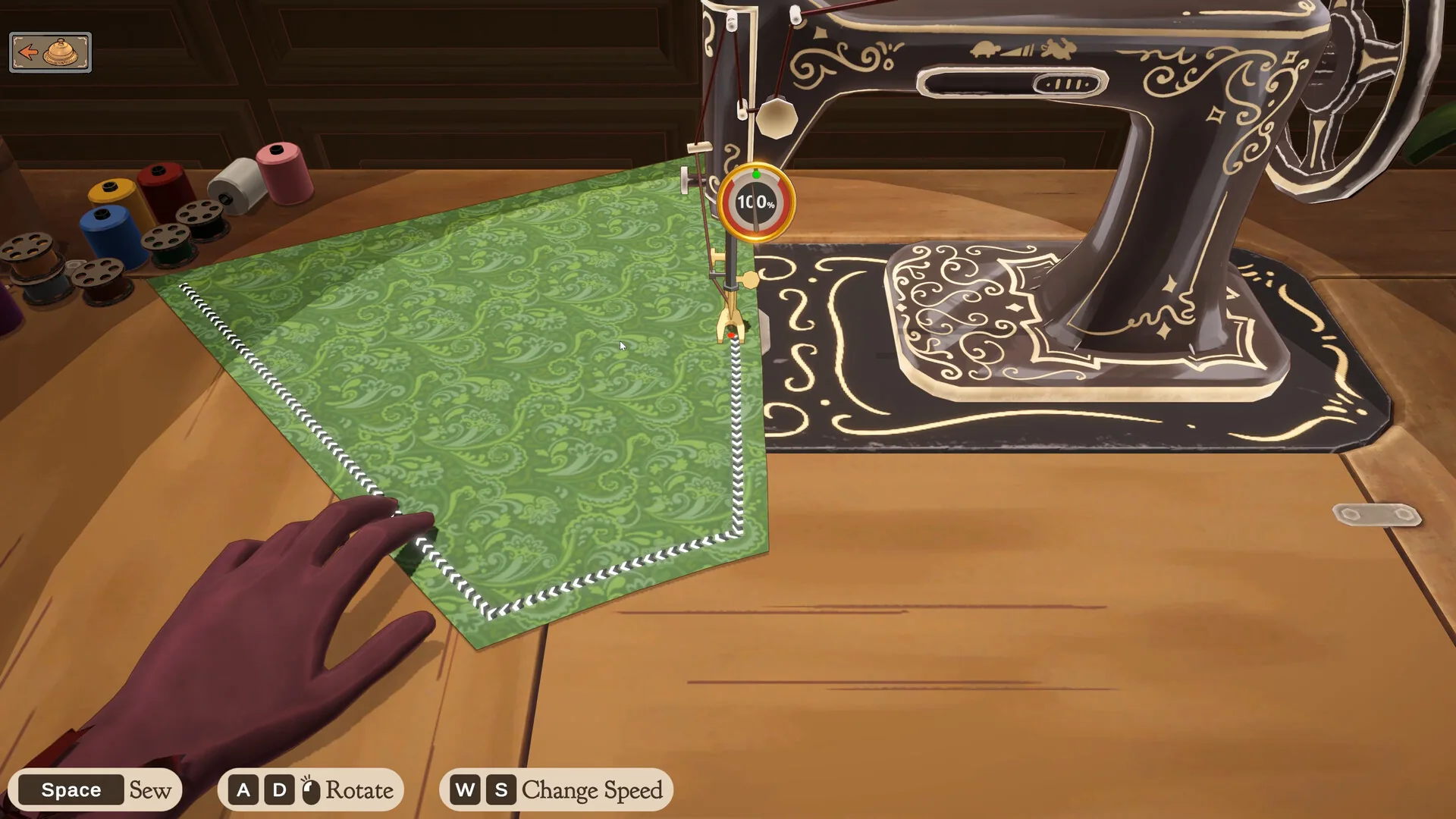
The controls below are visible on an official Steam store screenshot checked on 1 October 2026. They cover the sewing scene, not every scene or a custom binding. Steam categories and Builds 403 and 410 supply the separate accessibility and cursor notes.
| Input | Displayed action |
|---|---|
| Space | Sew |
| A / D or the mouse indicator | Rotate |
| W / S | Change Speed |
- Mouse Only Option is a Steam category. The store says you can play with a mouse.
- Playable without Timed Input is also a category.
- No Steam category says controller support.
- Build 410 stopped the scroll wheel from rotating a piece when the pointer is over inventory. Before that patch, the wheel was involved in moving or turning pieces. I am not assigning it a new job the notes do not name.
Zoom, rotate, and the missing cursor
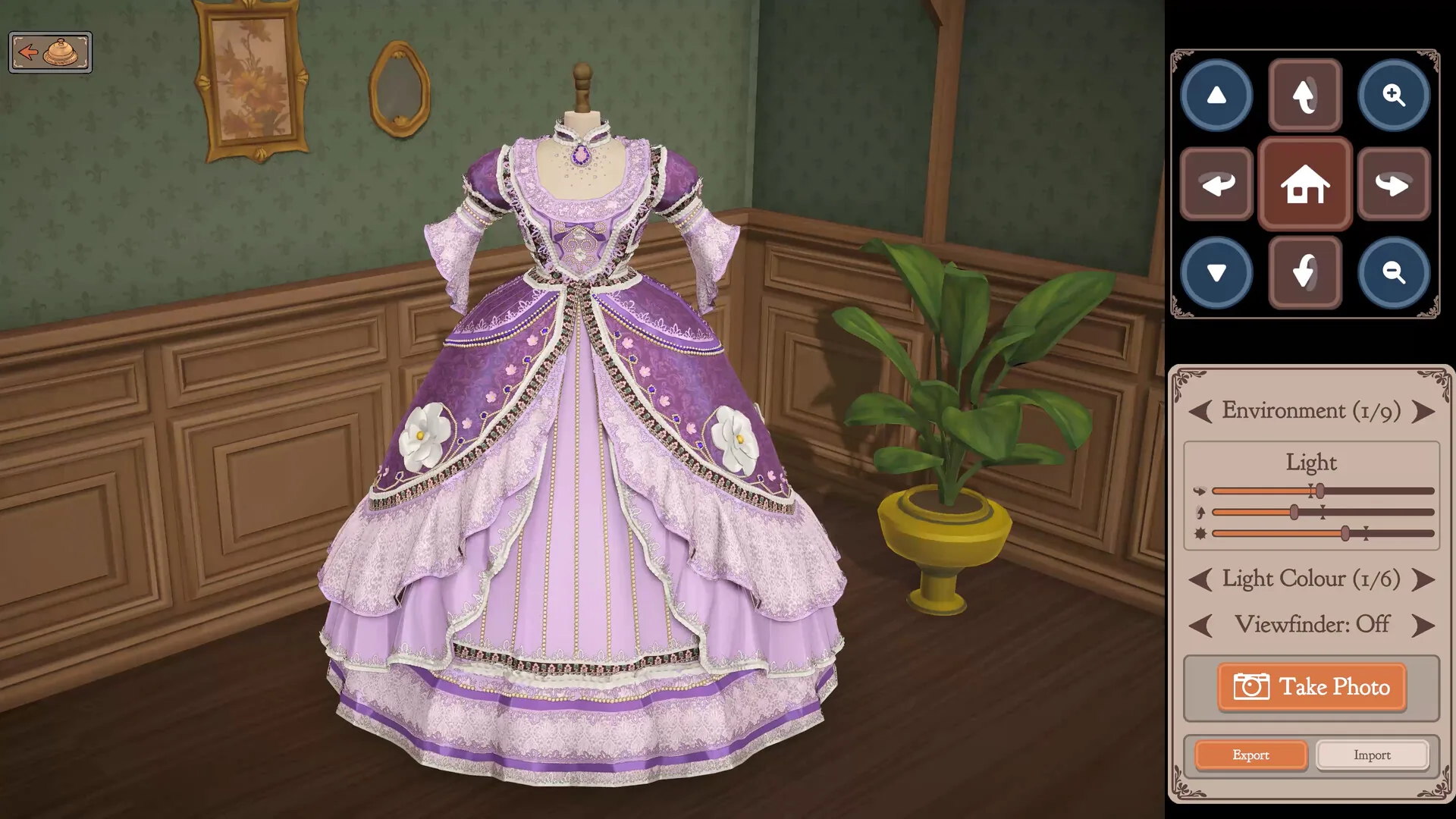
The official photo-mode screenshot shows magnifier + and - buttons for zoom, directional buttons for rotation, and a home icon. Those are on-screen controls, not evidence for a keyboard shortcut or an underside camera in every scene. Build 403 fixes the cursor disappearing during the cutting-room tutorial. The official trims video is a separate control demonstration.
Controller
Valve says the default Steam Deck configuration is fully functional, and that glyphs do not match the device. See Steam Deck. Mapping a generic controller on Windows is not documented here.
Source: Steam categories and Build 410. Checked 2026-10-01.
Official video
Official trims controls guide published by Cozy Lives Games on 30 September 2026. Watch on YouTube
Questions people ask
Does Dressmaker support a controller?
Not as a Steam feature tag. Deck's default mapping is rated functional by Valve. The studio said they still want proper controller support.
How do I get the cursor back?
Build 403 fixed a missing cursor after the cutting-room tutorial. Update if you are on an older build.